

It’s hot out there — and indoor golf is having a moment. Whether you’re avoiding the heat, training during the off-season, or just taking advantage of simulator convenience, hitting balls into a screen comes with a serious side effect: data overload.
Trackman and other launch monitors give you access to dozens of performance metrics. But here’s the truth: you don’t need all of them.
Instead, let’s focus on the 5 stats that matter most to your swing — and how to use them to improve your actual performance on the course.
Face angle tells you the horizontal orientation of your clubface when it makes contact with the ball.
Why it matters:
The initial direction of your shot is largely determined by face angle — often more than your swing path.
✅ If your ball starts right, chances are your face was open at impact.
✅ If it starts left, your face was closed.
This one stat alone can explain most directional misses. It’s the foundation of ball flight.
Club path tells you the horizontal direction your club is moving as it hits the ball.
This stat, in combination with face angle, explains your shot shape.
Understanding the interaction between club path and face angle is the key to mastering shot control — especially if you’re trying to learn how to draw or fade the ball intentionally.
Attack angle measures whether your club is moving upward or downward at the moment of impact.
Why it matters:
✅ Hitting down on your driver? You’re losing distance.
✅ Hitting up on your irons? You risk thin contact and inconsistency.
Fine-tuning your attack angle is one of the fastest ways to improve contact quality and ball flight.
Club head speed is simply how fast the club is moving when it strikes the ball.
Trackman shows this in miles or kilometers per hour, and it’s a great way to track:
Improving club speed takes time — but pairing this metric with smash factor (next stat) tells you if your speed is actually being used efficiently.
Smash factor = ball speed divided by club head speed.
It tells you how efficiently you’re converting swing speed into ball speed.
Think of smash factor as a quality of contact indicator. You can swing fast, but if your smash factor is low, you’re not making solid contact.
(Note: This data may not be available on every simulator.)
Impact location shows where on the face the ball is making contact: center, heel, toe, high, low, etc.
It’s one of the most important, yet most overlooked, factors in shot quality.
✅ Even if your face angle and path are perfect, a bad strike location can send the ball offline or reduce distance.
Training to find the center of the face consistently is one of the best uses of simulator data — and can dramatically improve your results.
There’s a lot of information in front of you on a simulator. But these six metrics give you everything you need to understand your swing and make meaningful progress.
Focus on these, and you’ll avoid the trap of data overload — while actually using technology to get better.
Simulator golf gives you feedback in real time. But feedback is only useful if it turns into action.
Here’s how to use these stats smartly:
Whether you’re training indoors during a heatwave or just making the most of winter, understanding these numbers can turn a casual simulator session into a serious performance upgrade.

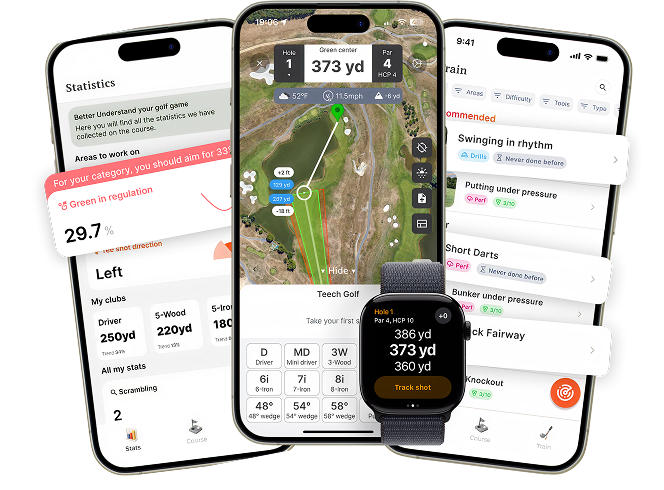
We analyze your golf statistics and performance data to tell you exactly what to work on to improve your game faster.
 Download app - free
Passionate golfer and co-founder of Teech Golf. My mission with Teech is to build technology that becomes a true companion in helping you improve your game.