




Teech Golf 4: rebuilt from the ground up for iPhone, Android and Apple Watch
Teech Golf 4 is the biggest update in the app’s history. We rebuilt it from scratch for iPhone, Android and Apple Watch. It’s faster, easier to read on the course, and it tells you more about your game after every round. This article covers everything that’s new, screen by screen, with where to find each feature in the app and what the free version includes. For the short version, see what’s new in Teech Golf 4.
The essentials in ten points
- The ClubhouseReplaces the home screen: a tile carousel, the trophy room and your rounds by month.
- The GPS map, with AIDistances to the green and hazards, and AI that gives your average score on the hole, the recommended club and your dispersion.
- Every shot by GPSWalk to your ball, tap “I’m at my ball”: the shot is measured; simple mode fits on one card per hole.
- Detailed puttingLogs each putt in four questions: distance, slope, break, result.
- You sign your cardThen a story-style recap reveals your score, your best moment and your trophies.
- Relive the roundReplays your shots on the map and exports as a video; sharing comes in three formats.
- ProgressCompares your stats with your handicap and gives you two priorities; My clubs measures your bag.
- 88 trophiesAnd an app icon that follows your handicap: bronze, silver, gold, diamond.
- Seven widgetsThe round on the Lock Screen and in the Dynamic Island.
- A real Apple Watch app: distances, map, shot entry and scorecard on your wrist.
A completely rethought app
Teech Golf 4 isn’t just an update. The app was rebuilt from the ground up as a native app, on iPhone and on Android. What that means for you:
- It launches and responds faster, even with GPS running for a whole round.
- It speaks your phone’s language: Lock Screen, widgets, app icons, and on iPhone the Dynamic Island and Apple Watch.
- Its design was reworked to be read at a glance, in full sun, between two shots.
Your data stays where it is. Your rounds, stats, bag and subscription are waiting for you, exactly as they were.
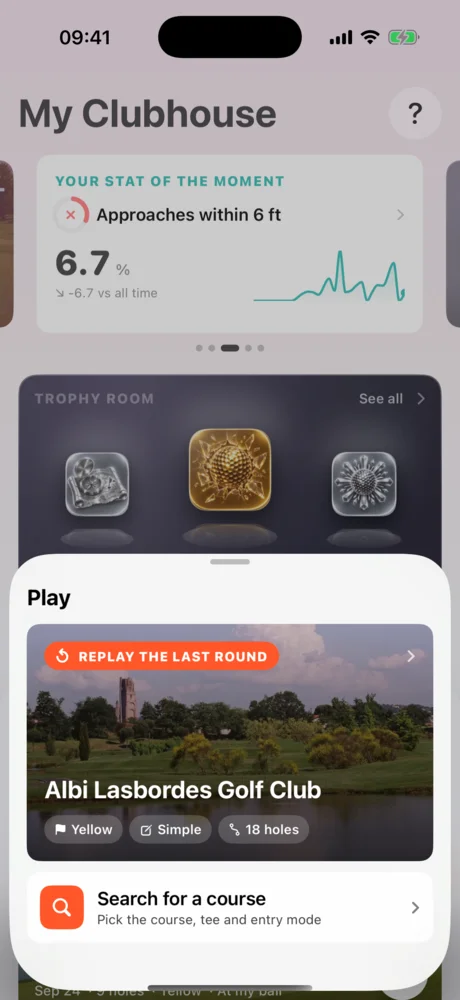
The Clubhouse, your home screen
Free Where to find it: the Clubhouse tab, first icon in the bottom bar.
The Clubhouse brings together what matters for your game today.
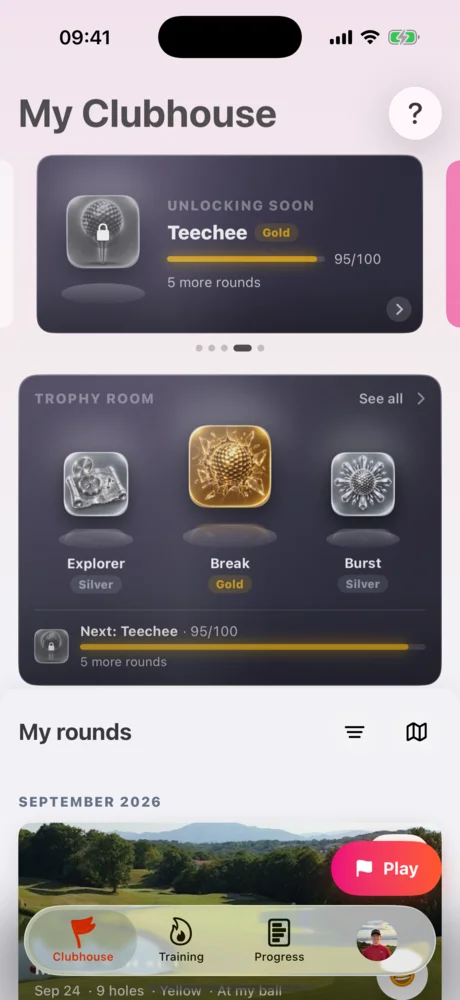
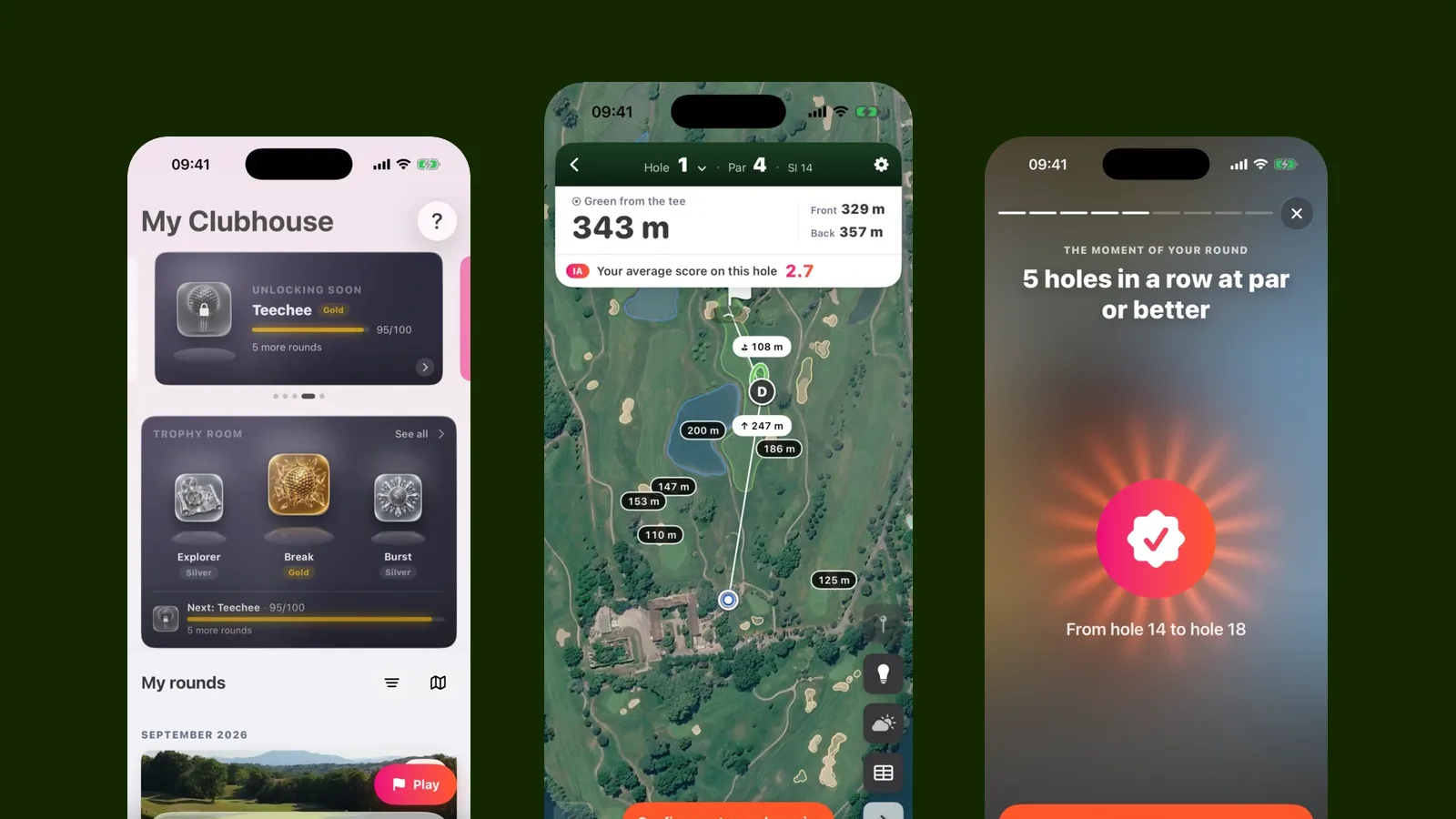
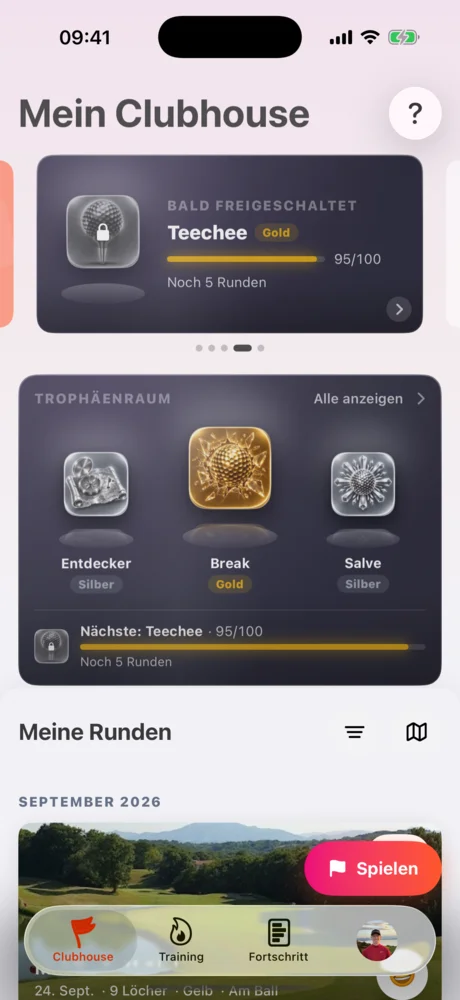
At the top, a carousel of tiles scrolls on its own. It shows the course you’re at, the drill your coach recommends, a stat of the moment, the next trophy to unlock, a golf fact, and a fun stat about your last few weeks. Each tile takes you to the matching screen.
The trophy room shows your latest medals and the one you’re closest to unlocking, with a progress bar.
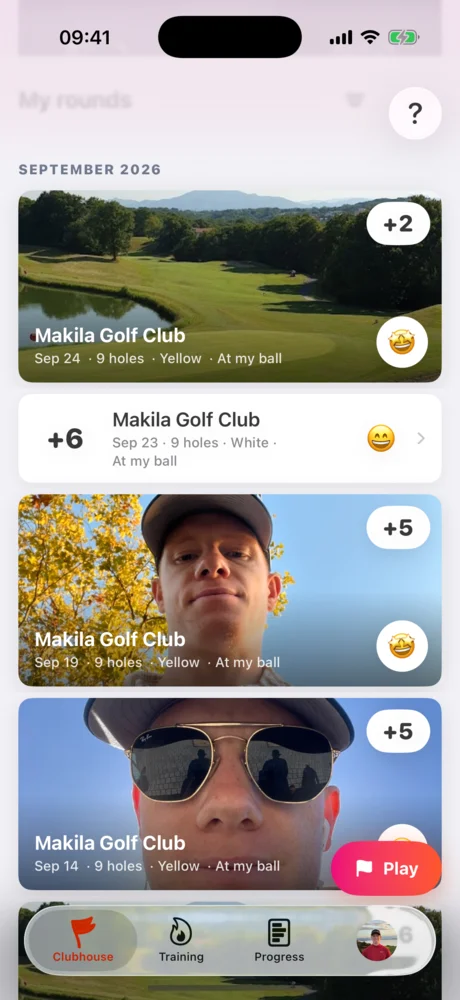
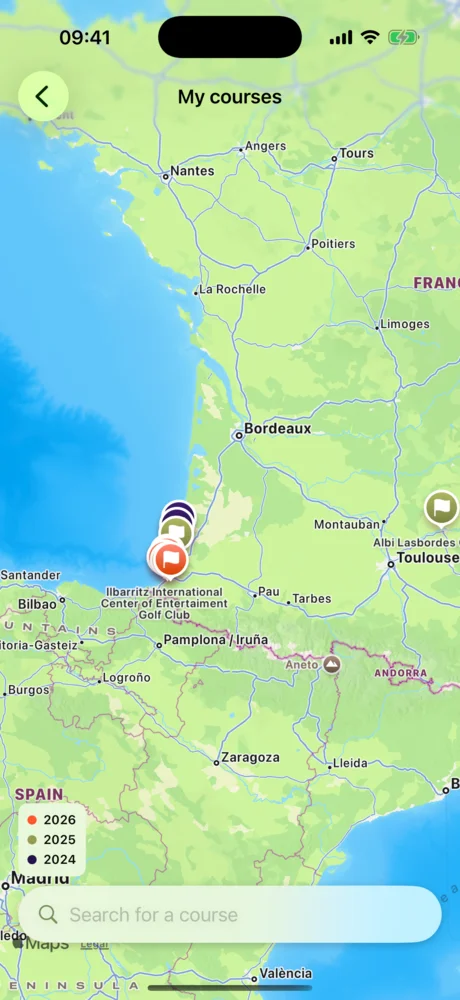
My rounds lists every round, grouped by month. Filters help you find a round by course or by period. The map button at the top right of the list opens a map of every course you’ve played. Round interrupted? A “Resume” card takes you right back where you left off.
The fun stat changes every time you open the app: holes played in the last 30 days, different courses played, distance walked. It’s compared with the previous period.
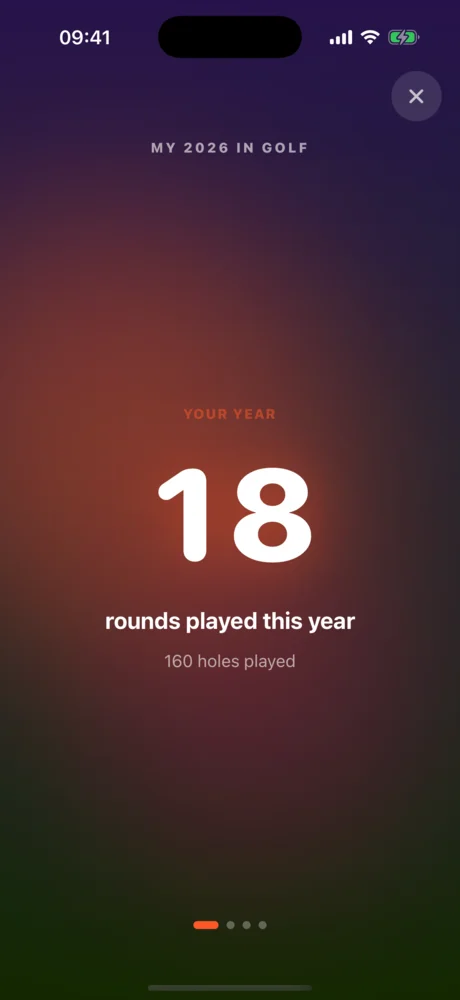
My year in numbers
Where to find it: a long press on the Play button.
A little bonus: your golf year in numbers, screen after screen, starting with the rounds and holes you played.
Starting a round
Free Where to find it: the Play button at the bottom of the screen, from any tab.
The Play button is always within thumb’s reach. It offers to replay your last course or to search for another one.
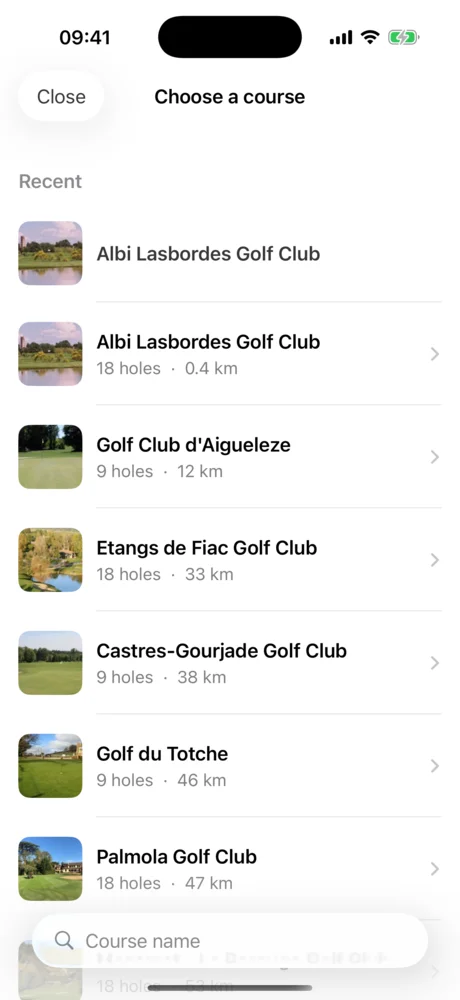
Course search suggests the courses around you first. It even works offline: the course index is stored on your phone. No signal at the clubhouse? No problem. On Wi-Fi, the app downloads in advance the courses you’re most likely to play. The round starts on your phone, with or without a connection, and syncs as soon as you’re back online.
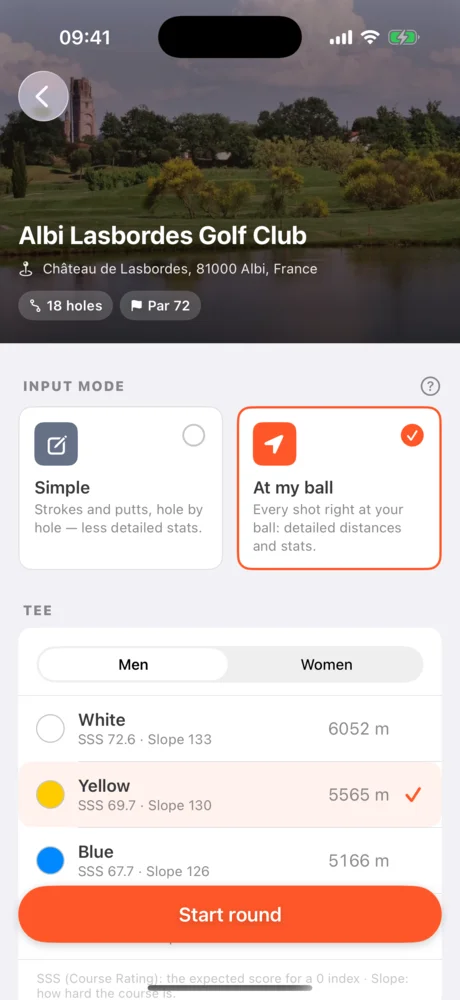
The course page shows the course photo, its holes and its tees. That’s where you pick your tee and how you want to play:
- Simple: you enter your score, putts and tee-shot direction on each hole.
- Shot by shot: you record every shot with GPS. This mode feeds the most detailed stats.
The GPS hole map
Free Light bulb and weather in Premium Where to find it: the main screen during a round; the light bulb is the round button on the right of the map.
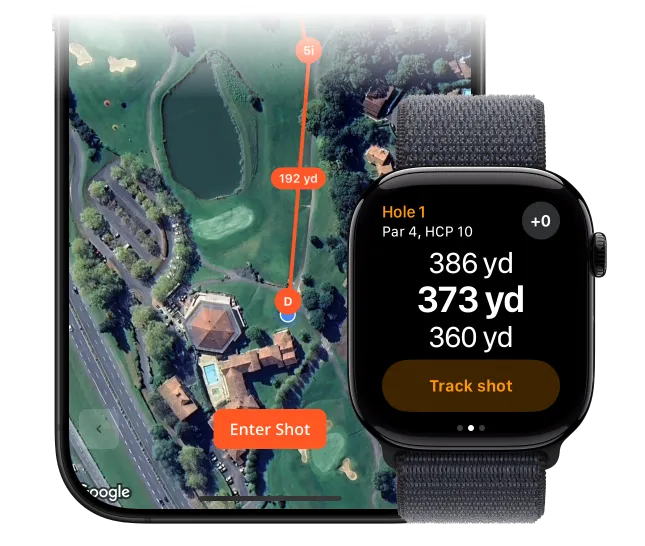
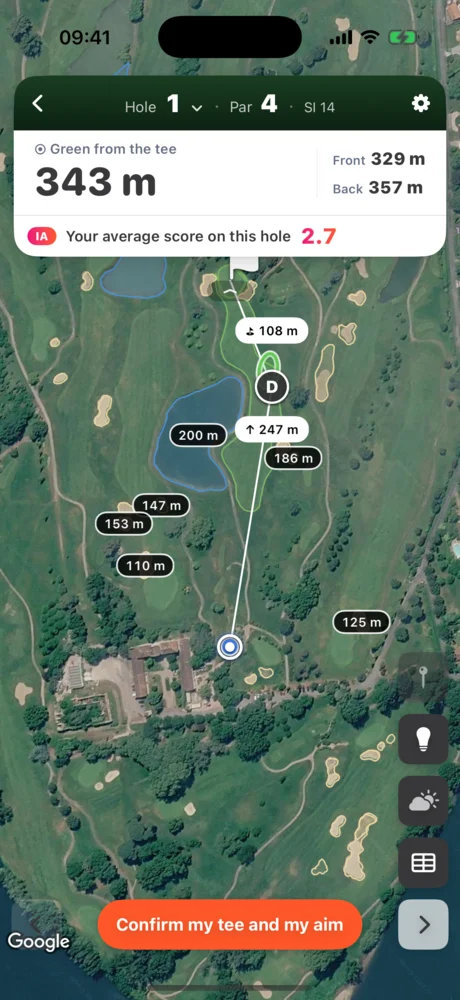
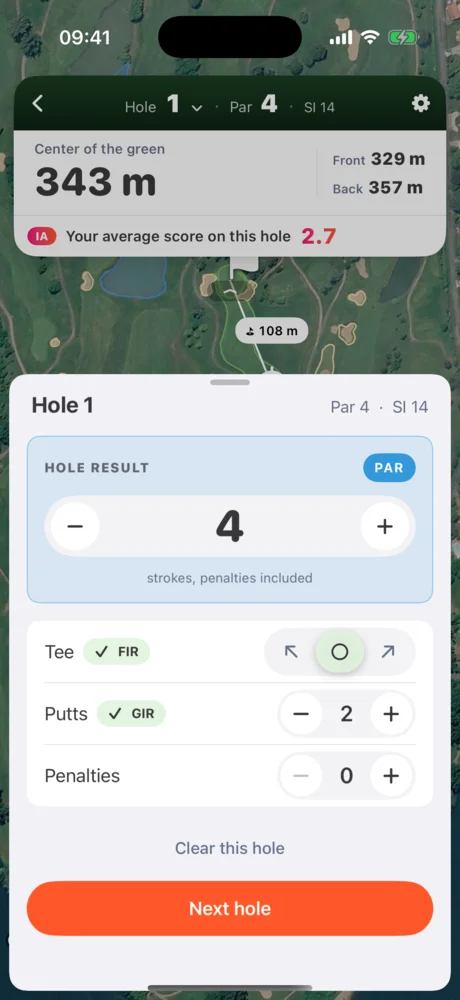
Every hole is shown in satellite view. At the top, the cockpit shows the distance to the middle of the green in big numbers, with the front and back distances beside it. Labels on the map give distances to hazards: bunkers, water, the end of the fairway. An aiming marker follows your finger. It shows the distance from where you stand and what’s left to the green. The cockpit folds away with a swipe to give the whole screen to the map.
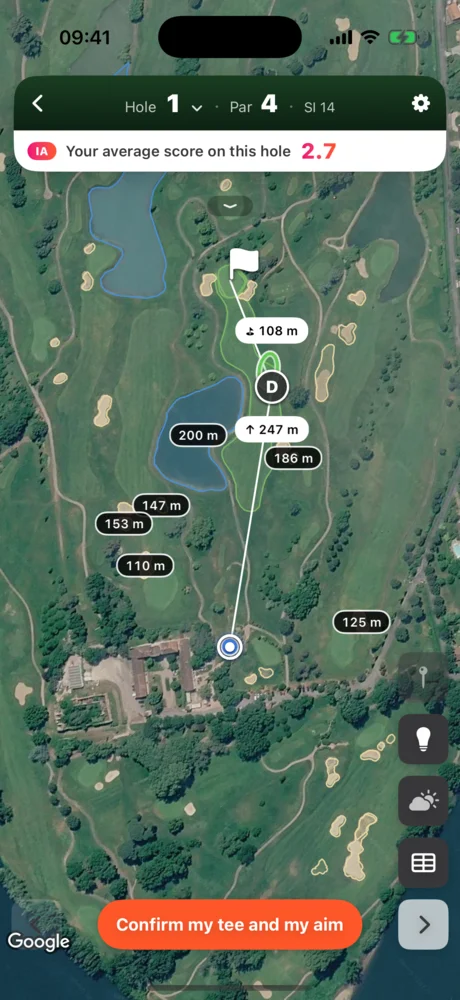
AI on the map: your average score, the recommended club, your dispersion
One button, the light bulb, turns on every playing aid:
- Your average score on this hole, computed by AI from your rounds.
- The recommended club, with an ellipse showing where your shots usually land with it.
- A dispersion cone showing your margin for error.
- Teech AI zones and distances to hazards.
Weather and elevation
The weather button, under the light bulb, opens a strip with the wind, its direction and the temperature. The hole’s elevation is shown, and the aiming marker’s distance accounts for the slope.
Logging shots: shot by shot or simple mode
Free Where to find it: you choose on the course page, before starting the round.
Every shot recorded by GPS, in one tap
It’s simple. Before your shot, pick your club in the grid. After your shot, walk to your ball and tap “I’m at my ball”. The app saves the position, measures the shot and gets ready for the next one. A Penalty tile and a pick-up button sit in the same grid. A misplaced shot can be fixed by tapping it on the map.
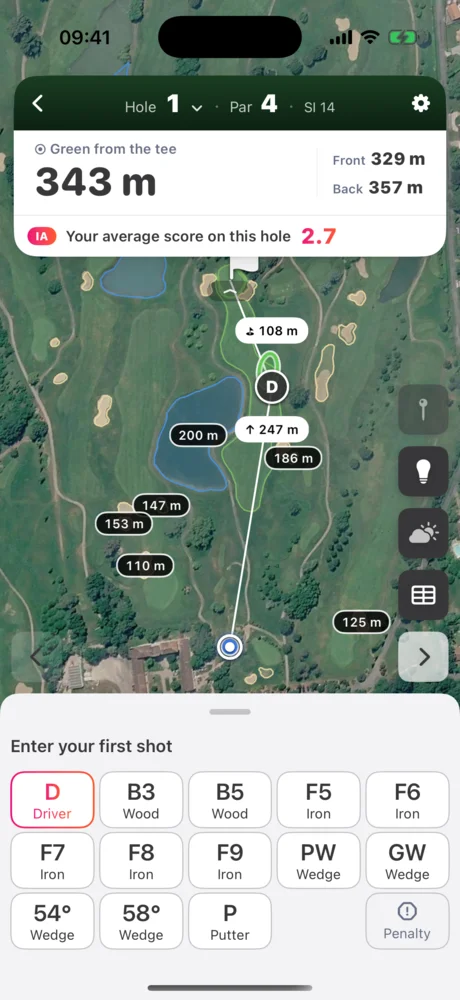
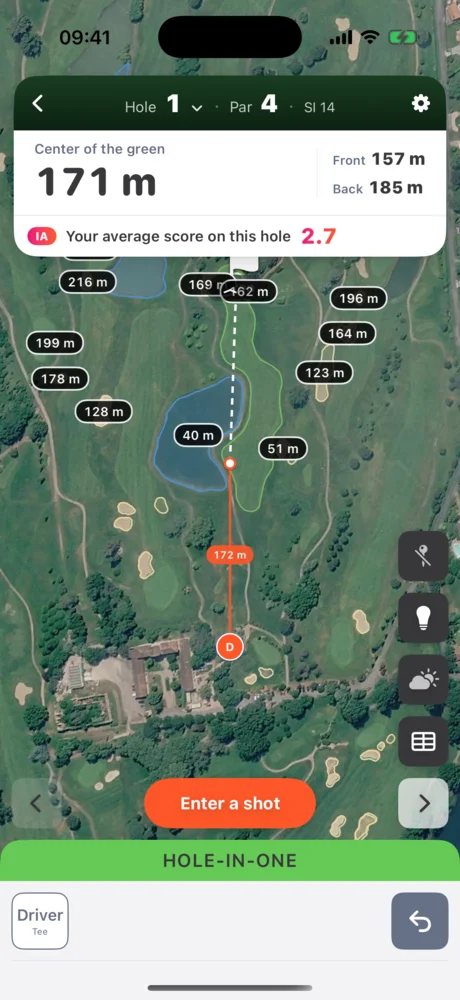
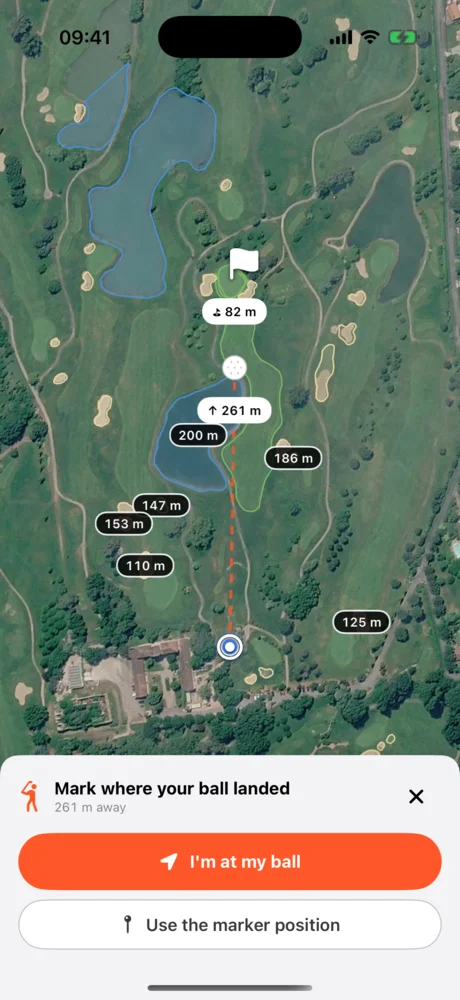
Simple mode
Prefer to keep score without tracking every shot? Simple mode fits on one card per hole: score, putts, penalties and tee-shot direction, left, centre or right. Fairways and greens in regulation are worked out for you.
Detailed putting
Free Where to find it: it opens when you reach the green; turn it off in the round settings.
On the green, detailed putting records each putt with four quick questions:
- Distance, on a wheel.
- Slope: uphill, flat or downhill.
- Break: left, straight or right.
- Result: holed, short, long, left or right.
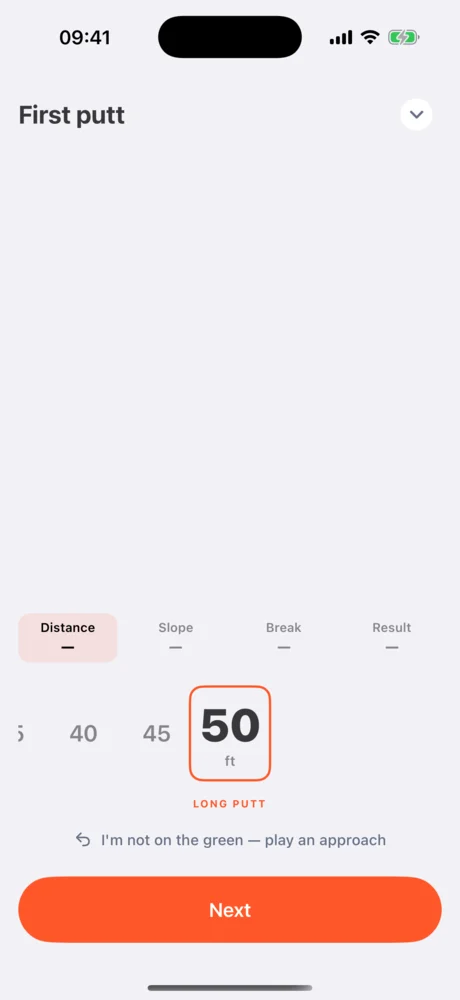
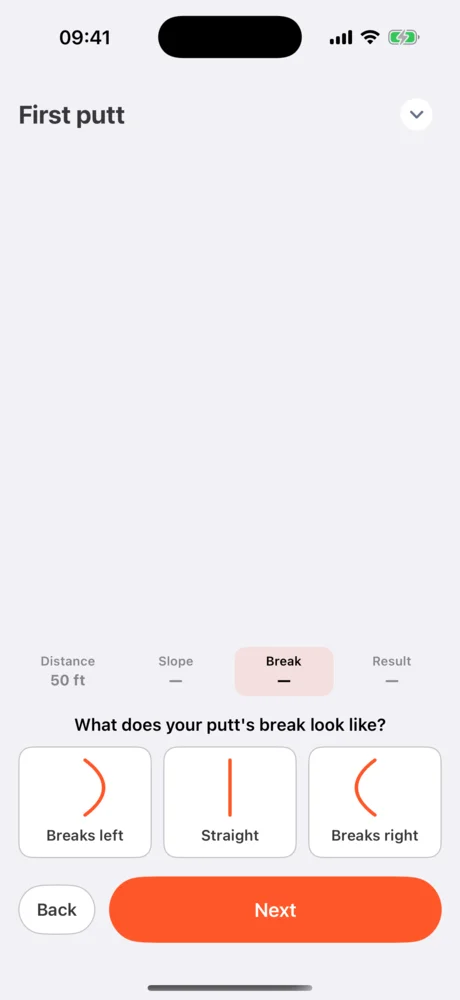
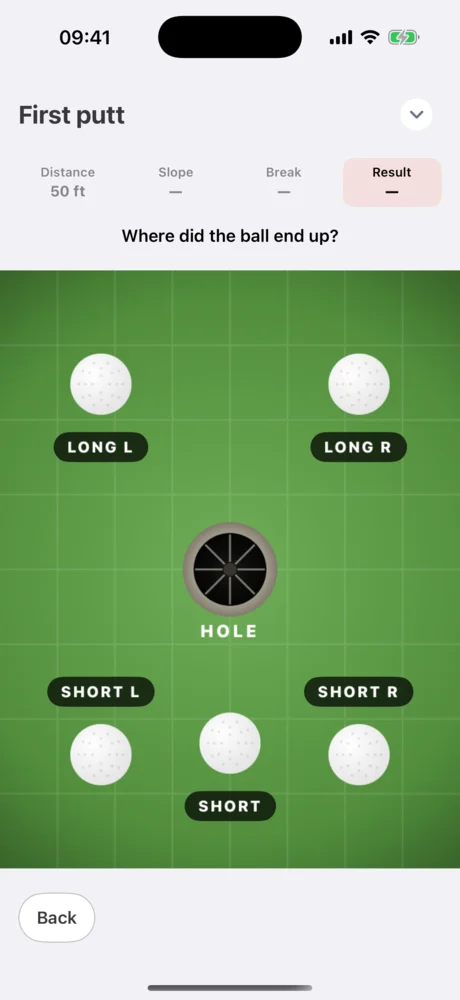
These answers feed your putting stats: where you miss, and from how far.
During the round: hole detection, settings, reminder
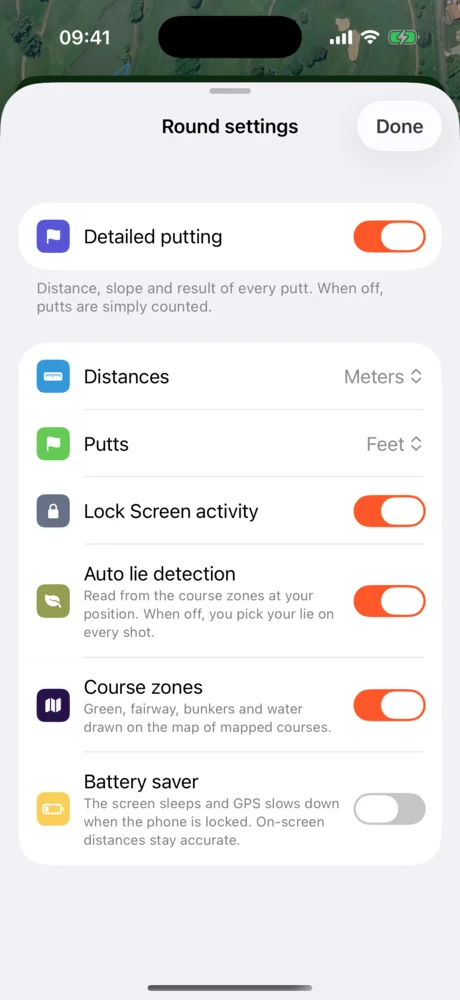
Free Where to find it: the gear at the top right of the map opens the round settings.
Hole detection. The app follows your position. If you walk to a different hole, it offers to switch. It never switches for you.
Round settings open without leaving the course: detailed putting, distance and putt units, Lock Screen display, automatic lie based on the course zones, zones drawn on the map, and a battery saver mode.
A reminder when you arrive at the course. When you arrive at a golf course, the app can offer to start your round.
End of the round: sign your card and the recap
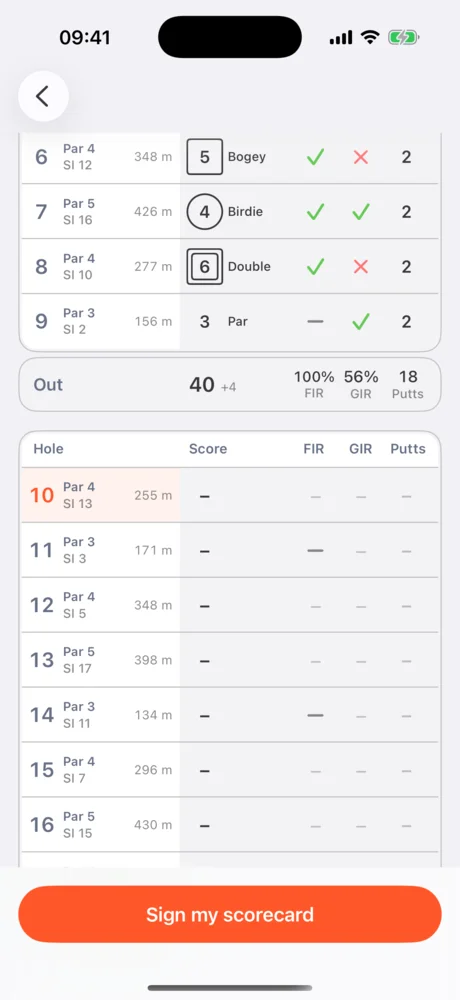
Free Sharing in Premium Where to find it: the table button on the right of the map opens the scorecard; “Sign my scorecard” is at the bottom.
The scorecard follows the round live: hole-by-hole score, fairways, greens in regulation and putts, front and back nine. At the end, you review your card and sign it. An “Approved by Teech Golf” stamp validates it.
Your round recap, story-style
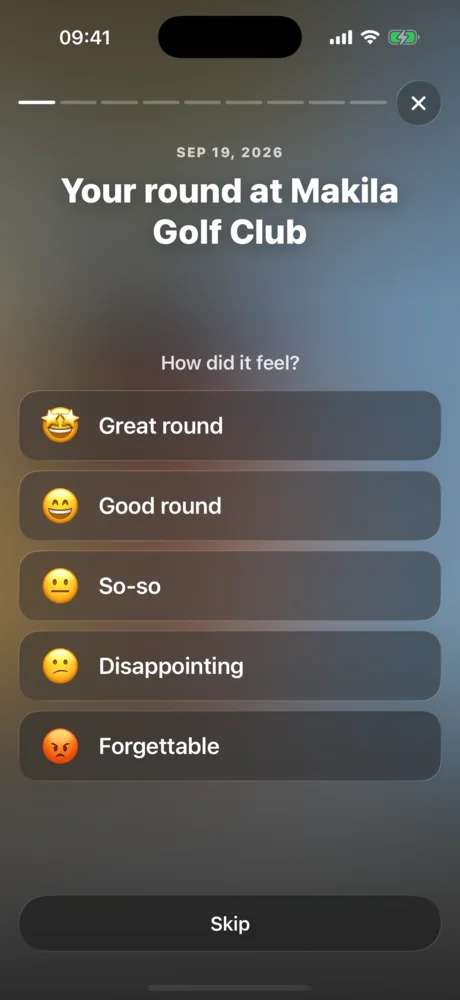
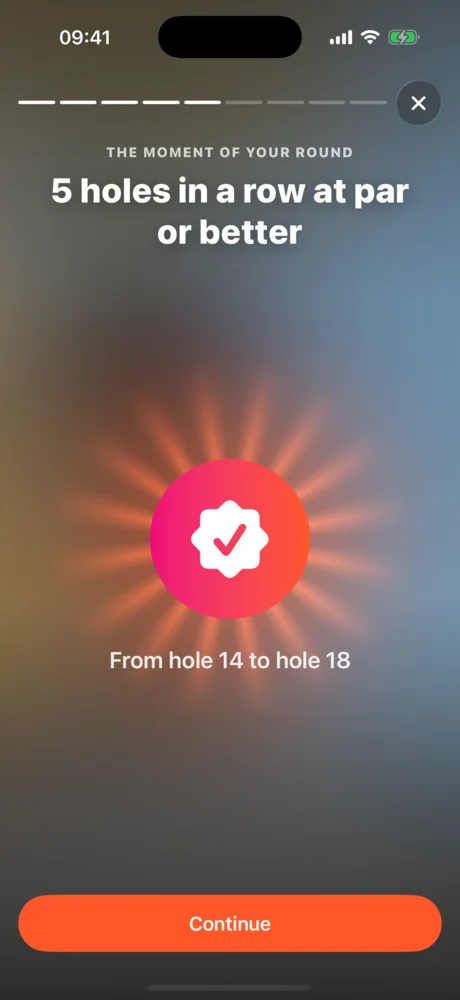
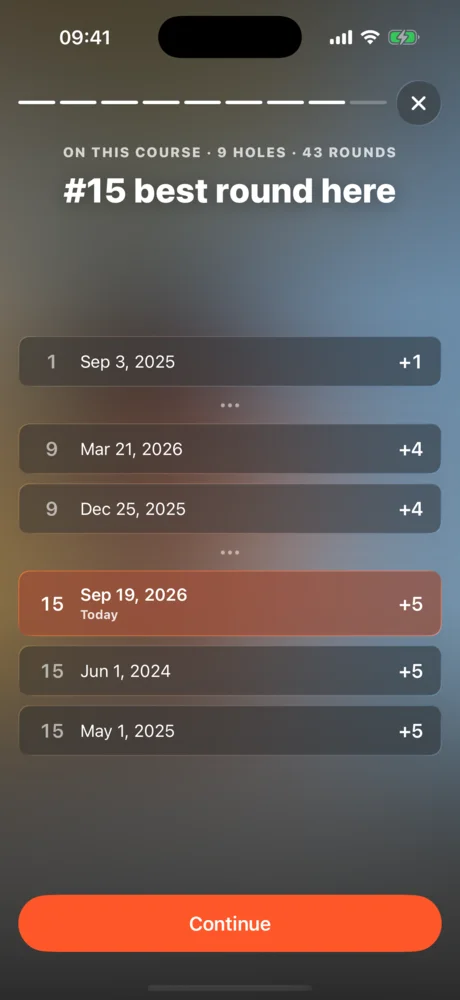
Right after, a recap plays like a story: rate your round, add a photo, watch your score appear, then relive your best moment, a standout stat, your ranking on this course, and the trophies you won or nearly won. Everything can be shared in one tap. The recap adapts to your round:
- How it felt: great, good, so-so, disappointing or forgettable.
- A photo that dresses up your recap and the image you share.
- What you remember: a key putt, a missed hole, the weather.
- Your score, with birdies, pars, bogeys and doubles, your record on this course and your average.
- The moment of your round, like five holes in a row at par or better, replayed on the map.
- The trophies you won, and the ones you nearly won, with what’s missing.
- Your ranking among all your rounds on this course.
Relive your round and share it
Premium First two holes free Where to find it: Clubhouse, My rounds, then the round; “Relive the round” and Share are on its page.
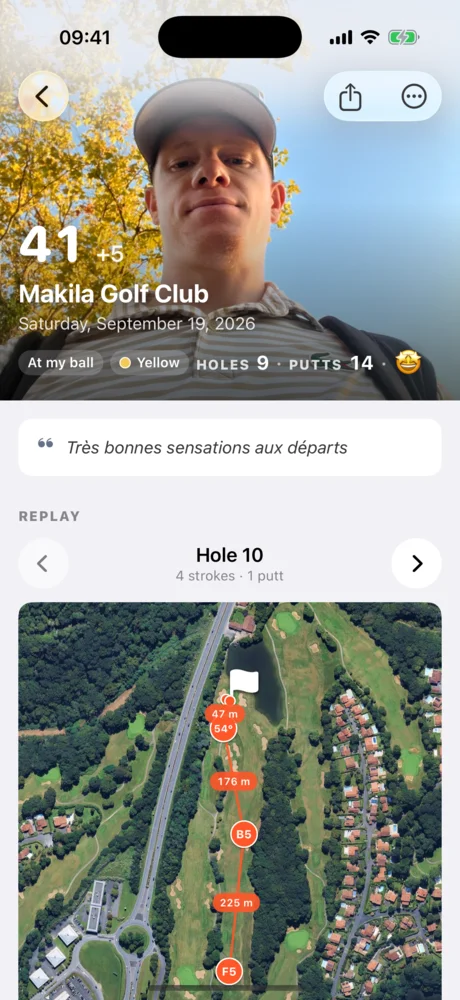
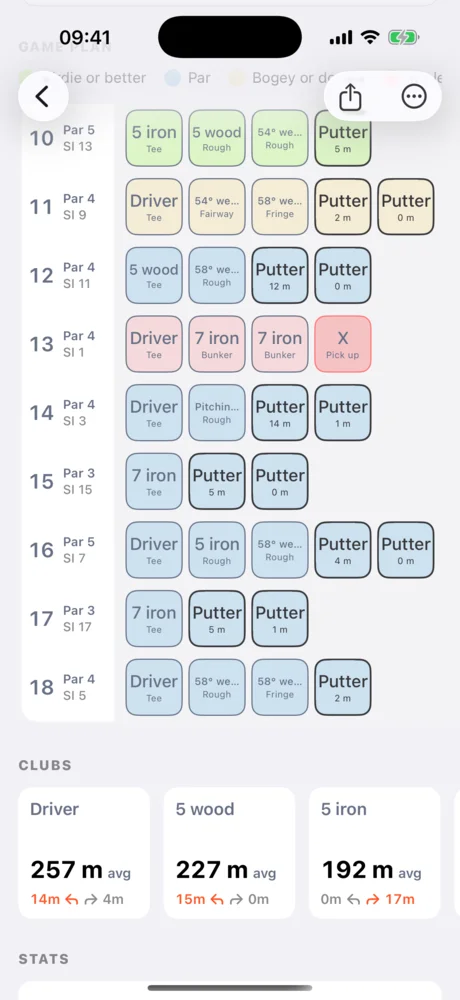
Every round has its own page: the score, the hole-by-hole game plan, and an analysis of your stats. “Relive the round” replays your shots on the map, hole by hole, with the club, the lie and the score updating as you go. You can export it as a video to share: the export keeps running in the background, and its progress shows on the Lock Screen.
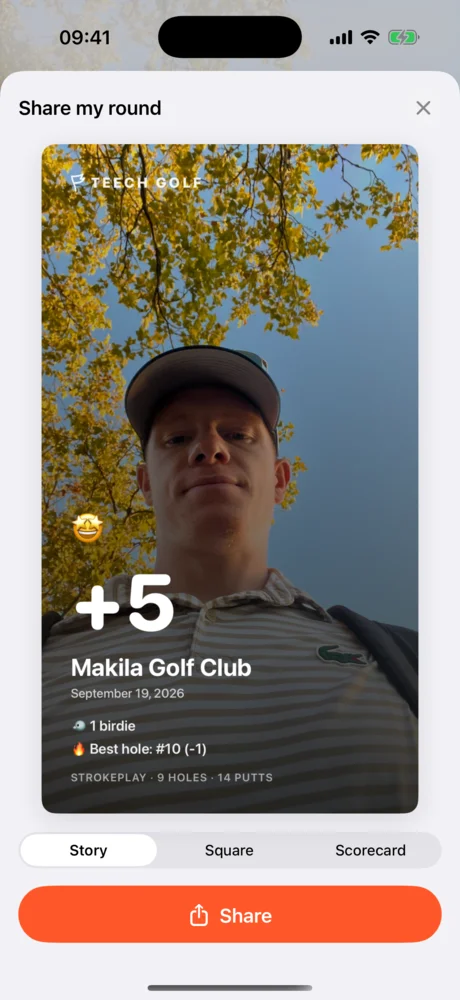
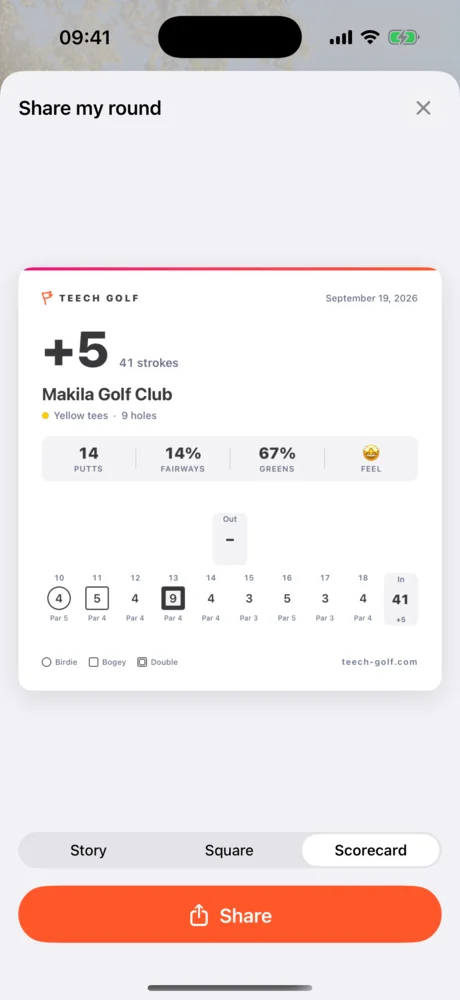
Sharing comes in three formats: a story, a square for social media, and a scorecard.
Progress: understand your game
Free Values computed from your shots in Premium Where to find it: the Progress tab, third icon in the bottom bar.
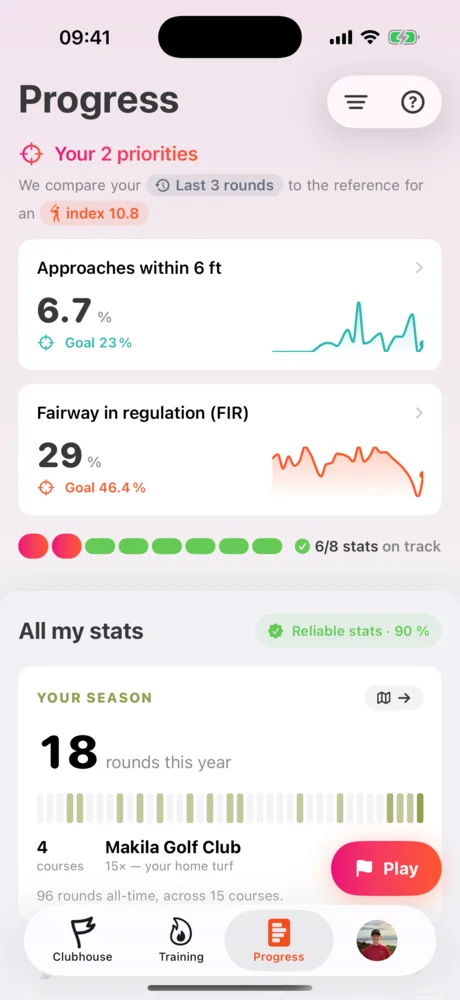
The Progress tab turns your rounds into advice.
- Stat reliability tells you how well the numbers reflect your current game. The more regularly you play, the higher it goes.
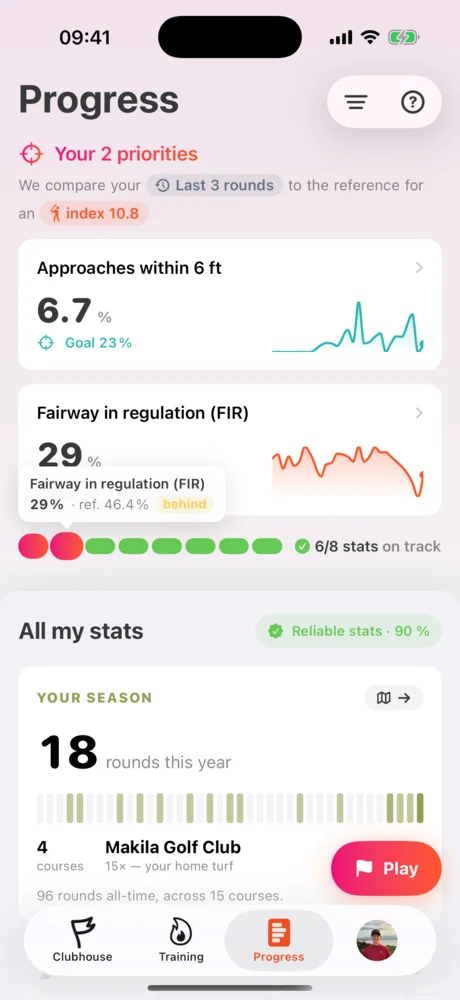
- Your priorities: the app compares your stats with those of a player at your handicap and shows you the two areas costing you the most shots.
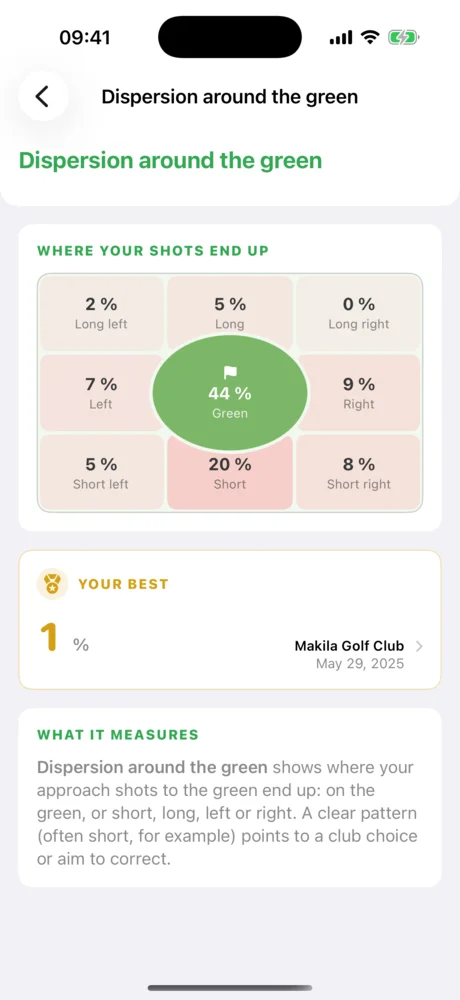
- All your stats are grouped by family: tee shots, approach, short game, putting, scoring.
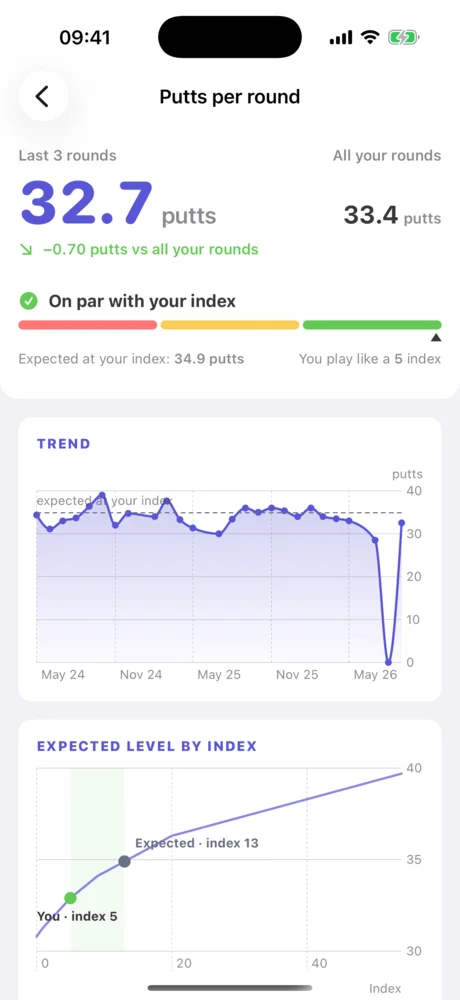
The “Your season” card sums up your year: rounds played, courses played and your home course. Filters let you analyse a single course, a season or a specific period. Every stat has its own page: its value, its month-by-month trend, and the level expected at each handicap.
My clubs
Premium Where to find it: from the Progress tab, the My clubs card.
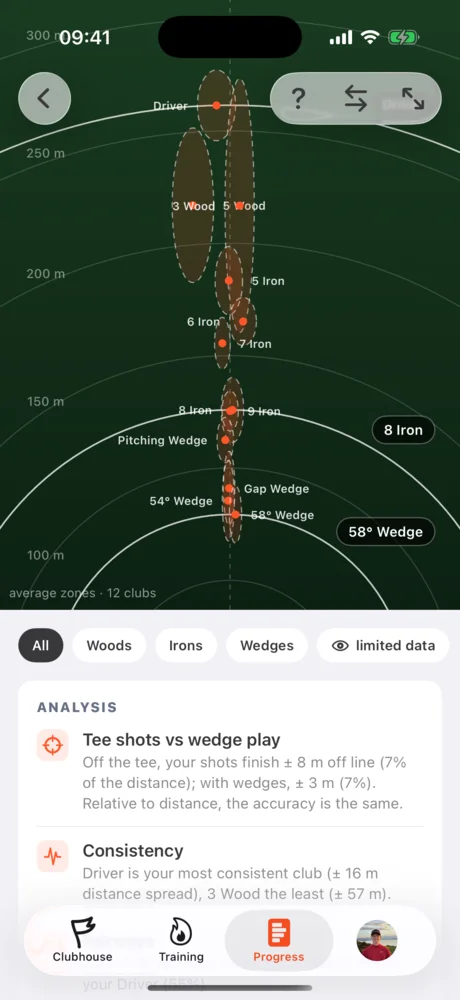
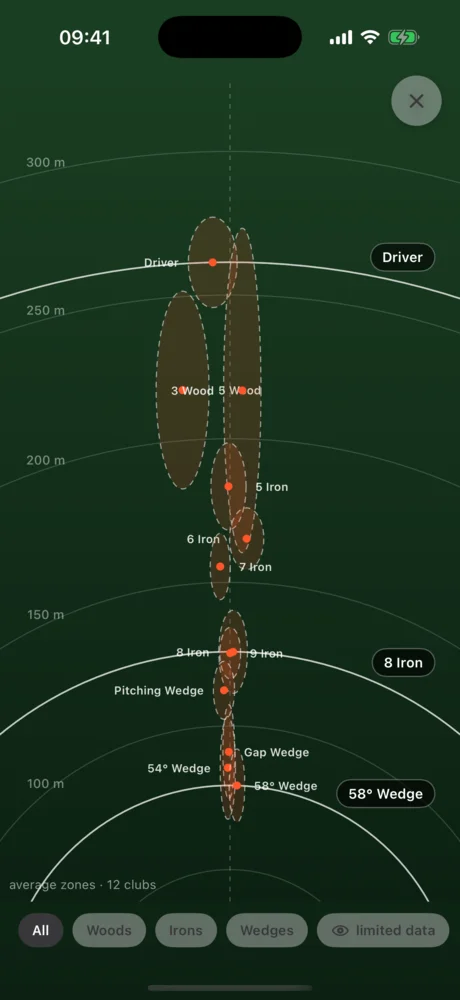
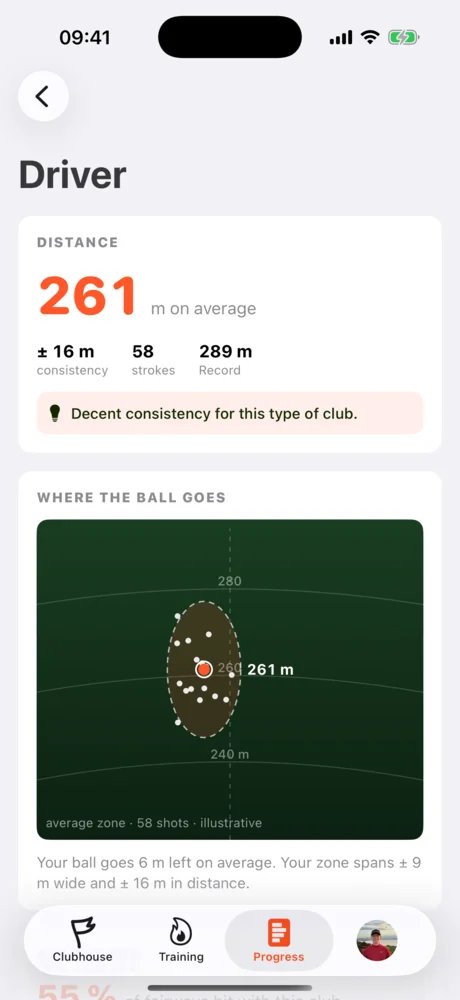
My clubs shows the real distance of each club, its consistency and its dispersion, based on the shots you recorded. The dispersion chart shows where your balls land for the whole bag. The gap ladder reveals the distance gaps between two clubs.
Training
Premium Where to find it: the Training tab, second icon in the bottom bar.
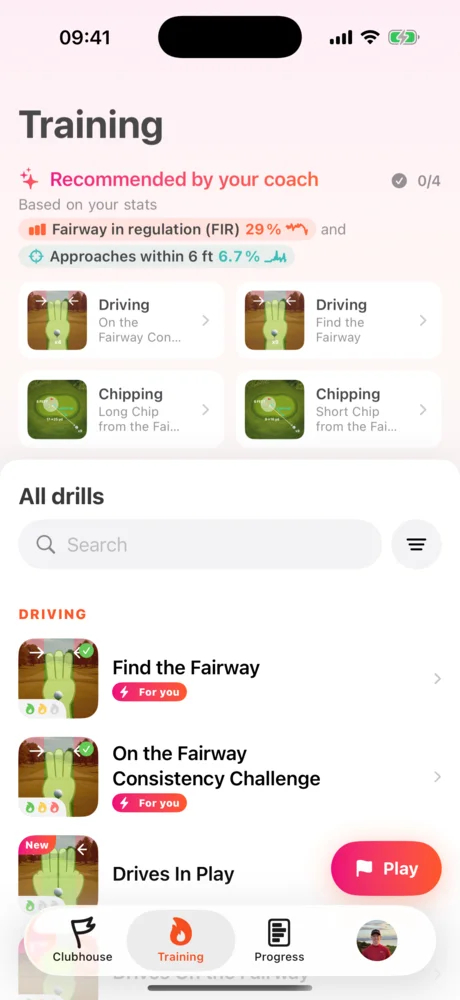
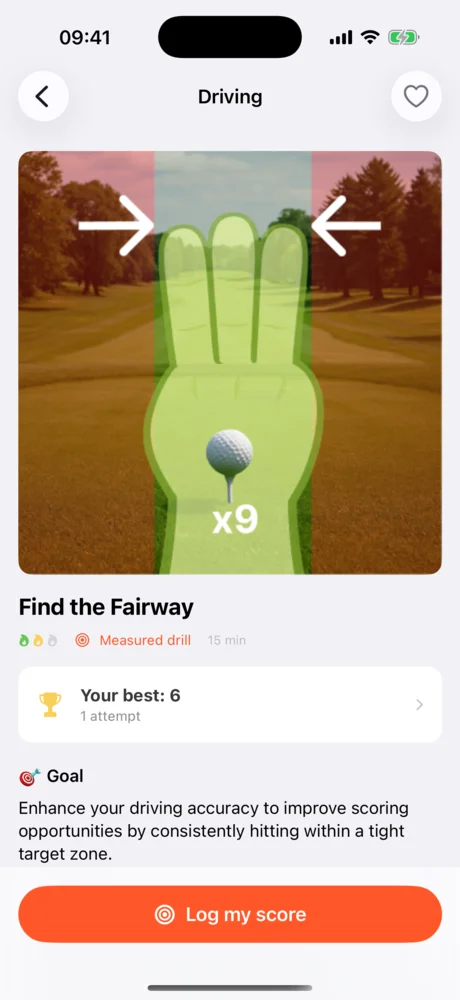
The Training tab suggests a session built from your stats, a programme, and a library of drills sorted by family. Every drill has its own page: the goal, the setup, a demo video and how to score yourself. Your results are saved so you can see your progress from one session to the next.
Profile, bag and trophies
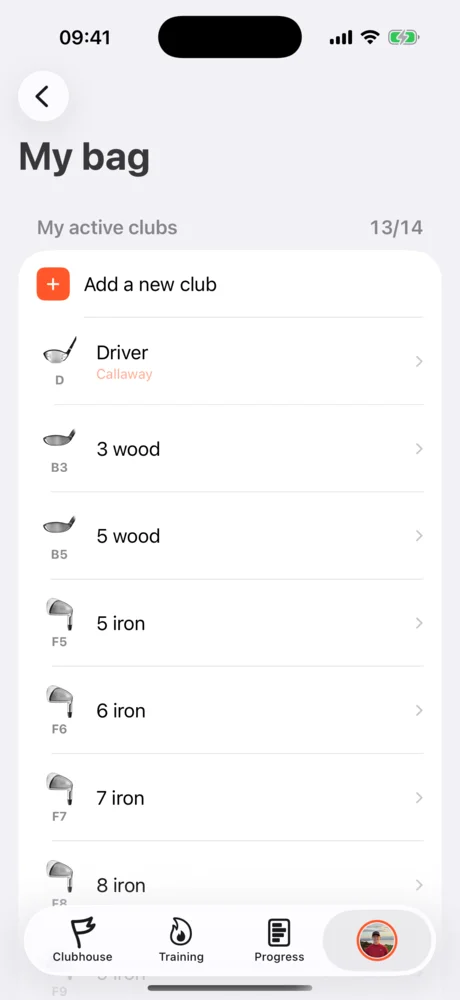
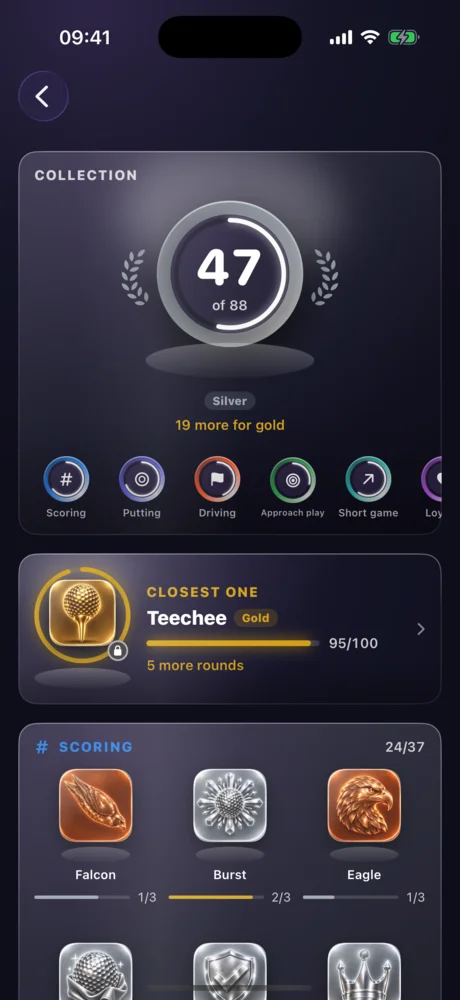
Free Where to find it: your avatar, on the right of the bottom bar; the trophy room also from the Clubhouse, “See all”.
My bag lists your active clubs. Add one, change a loft or a distance: the recommendations on the course take it into account.
The trophy room holds 88 medals: scoring, putting, driving, long game, short game, loyalty and travel. Each family has bronze, silver and gold tiers.
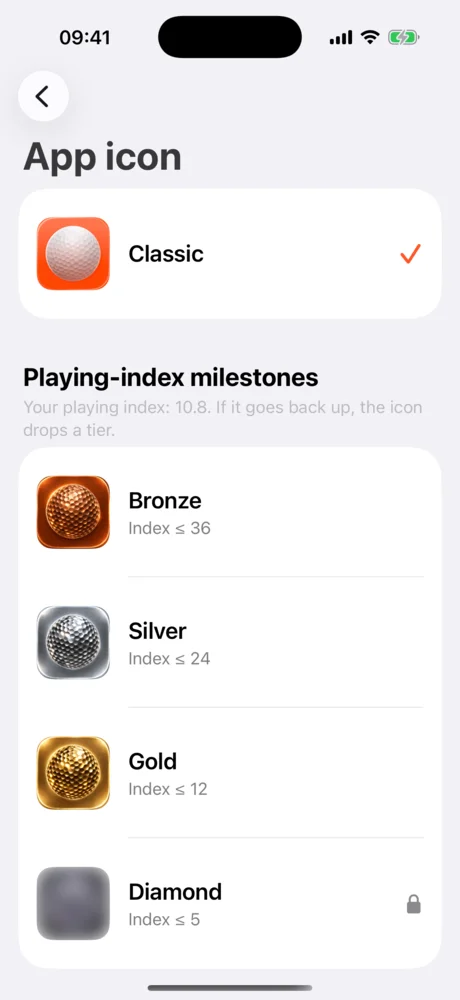
The app icon changes with your playing handicap. Bronze under 36, silver under 24, gold under 12, diamond under 5. You can also use a trophy you’ve won as your app icon. If your handicap goes back up, the icon drops a tier: it always reflects your current level.
Widgets, Lock Screen and Dynamic Island
Free Where to find it: on your phone’s Home Screen, long press, then Add Widget and Teech Golf.
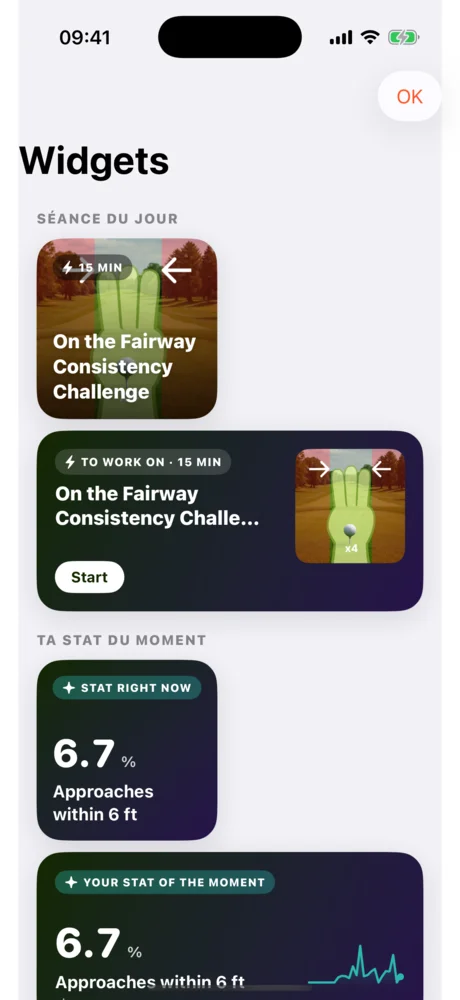
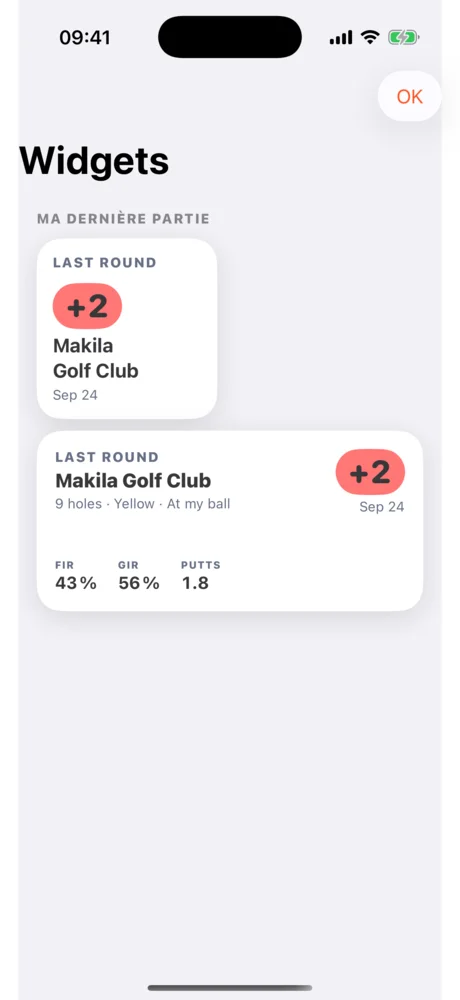
Seven Home Screen widgets: today’s session, your stat of the moment, next trophy, your last round, nearby course, what to work on, and your programme. They come in small and medium sizes, and the next trophy also comes as a Lock Screen widget.
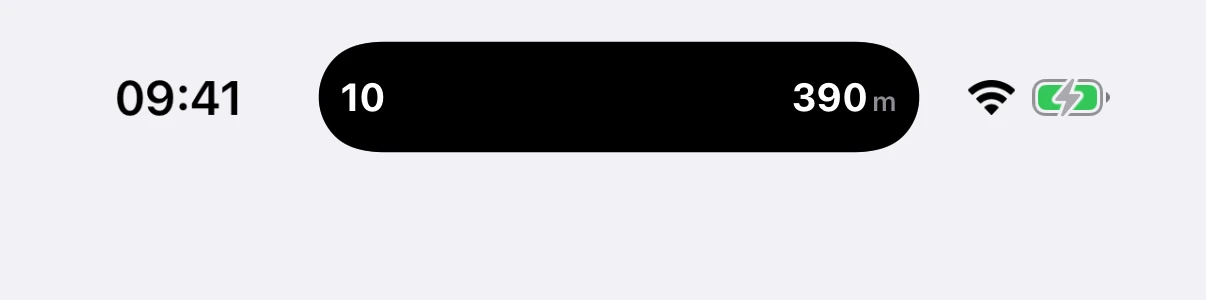
Your round on the Lock Screen and in the Dynamic Island. During a round, the Lock Screen shows the hole, the par, the distance to the middle of the green in large type, and the front and back distances. On iPhones with a Dynamic Island, the hole and the distance stay visible while you use another app. The display is set in the round settings.
Teech Golf on Apple Watch
Free Where to find it: install Teech Golf from the Watch app on your iPhone, then start the round on the iPhone: the watch takes over.
Your Apple Watch becomes a caddie on your wrist.
- Distances to the front, middle and back of the green, measured by the watch’s own GPS.
- The hole map, full screen. The Digital Crown zooms on the green.
- Shot entry on your wrist, in shot-by-shot mode as well as simple mode.
- The scorecard, one turn of the crown away.
- Actions: next hole, undo last shot, pause and end the round.
- A workout: your round is saved as a golf workout in the Health app, with distance walked, calories and heart rate.
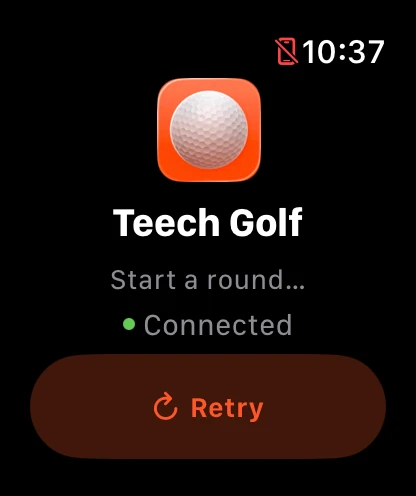
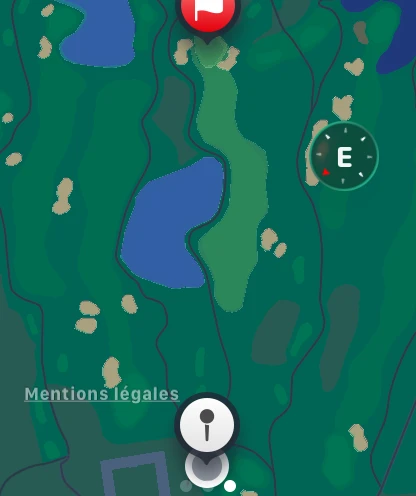
Everything you enter on the watch is saved on your iPhone. A complication lets you open the app from your watch face. More on the Apple Watch page.
In five languages
Where to find it: the app follows your phone’s language; to change it on iPhone, Settings, Apps, Teech Golf, Language.
Teech Golf 4 speaks French, English, German, Spanish and Italian. The stats are translated too.
Free or Premium
With the free version, you play and record everything, shot-by-shot mode included. Your rounds are yours.
Premium gives you the coach’s eye: every value computed from your shots, weather and hazard distances on the map, the full replay of your rounds, sharing and video export, club stats, and the full training experience. It costs €89.99 a year, that is €7.50 a month, or €14.99 monthly, with a 7-day free trial. See pricing.
Without a subscription, the numbers from your shots are still there but blurred, and the replay stops after the second hole. You see exactly what Premium would bring to your own rounds.
Get Teech Golf 4
Teech Golf 4 is available on the App Store for iPhone and Apple Watch, and on Google Play for Android. Update the app, play your next round, and tell us what you think.